Microsoft Pushes Auto SR Out of Preview on the ROG Xbox Ally X With a 120 FPS Mode and Undocked Play
By CriticalPixel ·
Microsoft just took Auto SR out of preview, and the version that shipped is not the one that spent months chained to a dock. On November 10 the DirectX team moved Automatic Super Resolution into the main Windows build for the ROG Xbox Ally X and the ROG Xbox Ally X20, then added the piece handheld owners kept asking for. It now runs on the built in screen, on battery, with no dock in sight. That single change matters more than the flashy frame numbers, because a feature that only works while your handheld is plugged into a television is a feature most people will never touch.
What actually changed
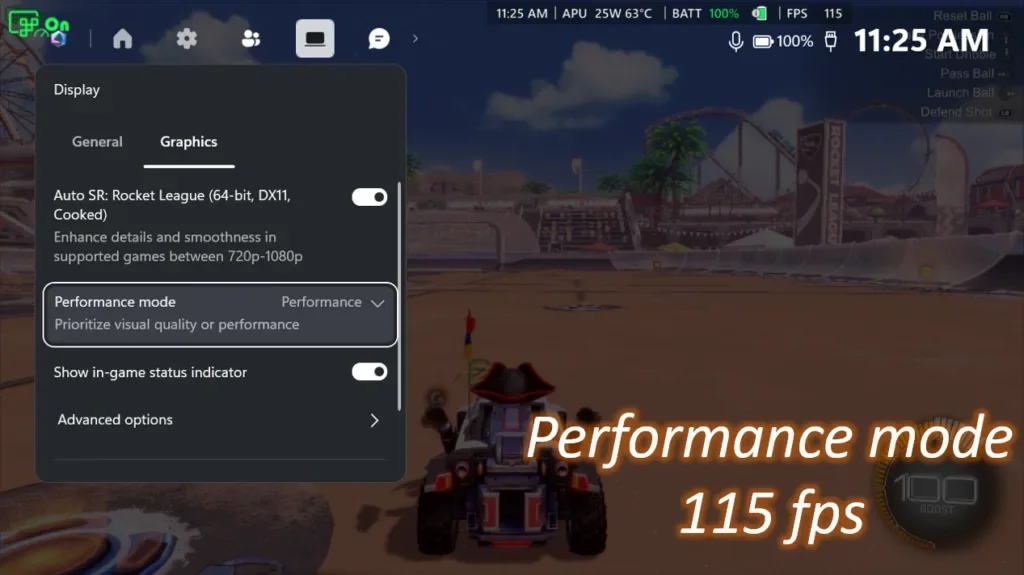
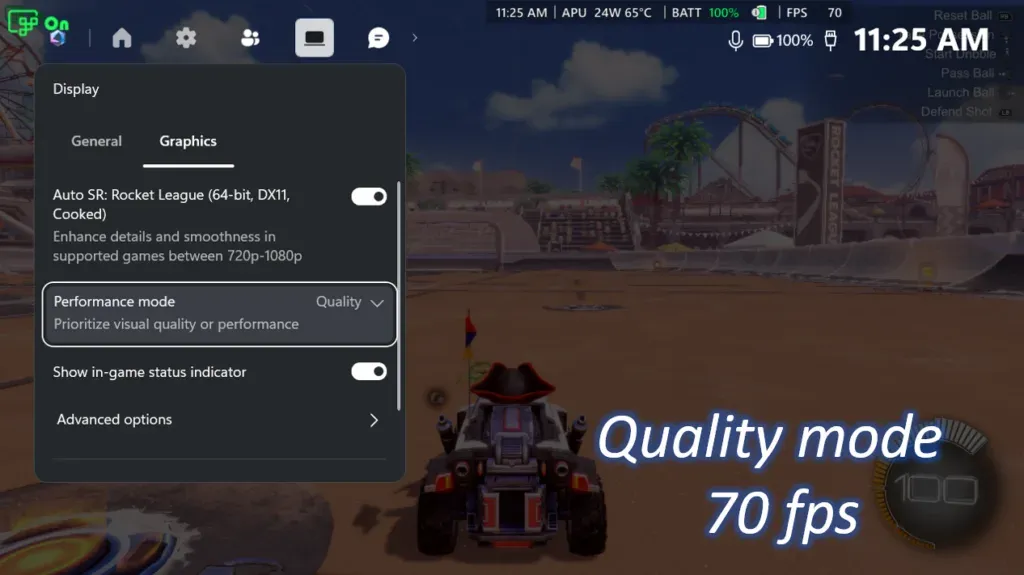
The list is longer than one bullet. Auto SR now supports games running at 1080p as a base resolution, which fixes the quiet trap from the preview where you had to drop a game below the screen's native resolution before the upscaler would engage. Dock to a bigger display and it can push the image up to 1440p. A new Performance Mode lifts the ceiling from the old 60 to 75 FPS range to as high as 120 FPS, and Auto HDR can finally run alongside Auto SR instead of forcing a choice between smoother frames and richer color. According to the DirectX team, Performance Mode and Auto HDR are rolling out with Windows updates, so they may not land on your device on day one.
The 120 FPS number is a best case, not a promise
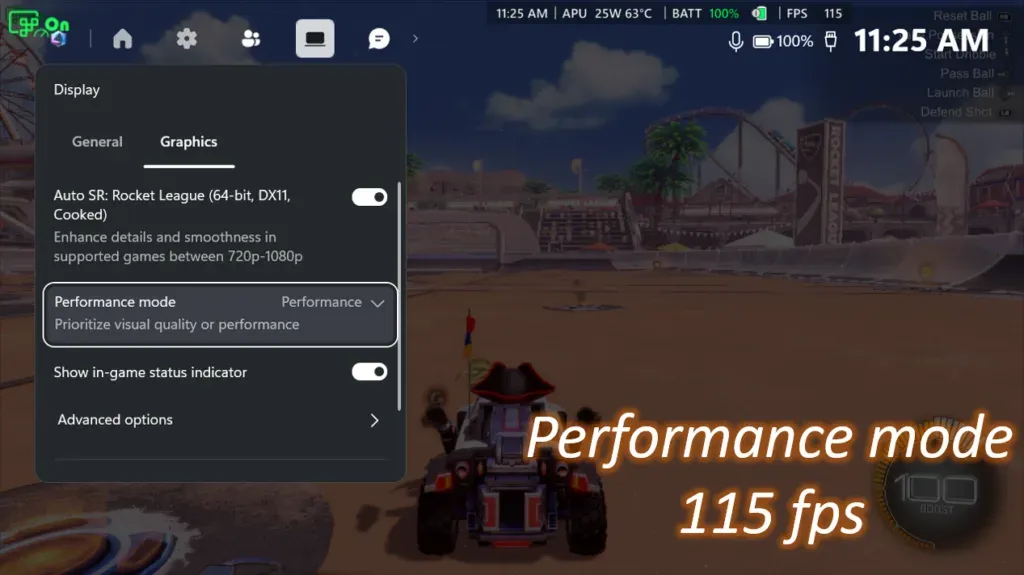
Microsoft's own numbers come from Rocket League at 720p on high settings on the Ally X, where Quality Mode averaged 70 FPS and Performance Mode averaged 115 FPS. That is a genuine jump, but it is also one game, one handheld, one resolution and one graphics preset. The post does not publish frame time charts, a list of games that benefit, or any battery life figure. Anyone who has used an NPU upscaler on a handheld knows the trade: smoother frames cost watts, and nobody at Microsoft is saying how many. Until someone runs a power meter against this thing on a plane, treat 120 FPS as the marketing ceiling and not the experience.
FSR still wins when it shows up
None of this makes Auto SR the default choice. PC Gamer asked the obvious question, meaning why you would pick Auto SR over FSR, and answered that you would not, because a well implemented FSR pass looks closer to what the developers intended. Auto SR earns its keep in the gaps, meaning games with no FSR support at all and games where the FSR implementation smears the picture. The NPU angle is the interesting part. Because the upscaling work runs on the neural processor instead of the GPU, the graphics silicon keeps more headroom for actual rendering, which is why the feature can exist on a handheld without gutting the frame budget.
Who gets it, and who is still waiting
Microsoft's support documentation puts the bar at a Copilot+ PC with a neural processor, Windows 11 version 24H2 or newer and a display running at 1080p or higher. The officially named handhelds are the ROG Xbox Ally X and the X20. The same page also lists the MSI Claw 8 EX AI+ on Intel Arc G3 silicon plus Snapdragon X and X2 machines such as the Surface Laptop 7. This release expands Auto SR to Copilot+ PCs powered by AMD Ryzen, so AMD handheld and laptop owners get served first. If you are on older hardware with no NPU, none of this reaches you, and no Game Bar update will fix that.
The handheld argument is the whole argument
Digital Trends made the sharpest point about this release: the preview's docked only rule ignored the reason people buy a handheld in the first place. Support for the built in screen is the change that turns Auto SR from a demo into something you use on a bus. The outlet also flagged the caveat Microsoft buried in a footnote, that 1080p on the internal display is not the optimal configuration and the visual gains will be clearest in older games. That is a polite way of saying the best case is still a docked Ally X on a big screen, which is the opposite of the pitch. Independent player reaction is thin so far, and the loudest arguing is coming from outlets rather than players, mostly about whether anyone should use this over FSR.
The CriticalPixel take
Auto SR shipping undocked is the right call and it took far too long. The preview launched in a state that made the feature useless for the people who bought the hardware, and the 1080p base resolution support fixes a trap that quietly switched the upscaler off for most of the library on a 1080p screen. But the pitch still leans on one Rocket League screenshot and a big headline number. Handheld owners need a supported game list, a battery impact figure at 15 watts and confirmation that Performance Mode does not turn the image into mush. Microsoft has spent a year telling people that Copilot+ PCs are the future of Windows, and this is the first time that message has produced something a gamer can feel in their hands. Now show the frame times.
The rollout is staged, so check Game Bar and the Microsoft Store for the Auto Super Resolution package before you assume the feature is missing. If you are on an Ally X or an X20, update Windows 11 and Game Bar, open the Game Bar widgets menu, go to Display and then Graphics, and pick Quality or Performance. You can swap modes mid game and watch the frame counter move. That is a better demo than any press release, and it is the fastest way to find out whether the NPU in your handheld is worth the battery it eats.
Sources
DirectX Developer Blog: Auto SR Officially Launches on ROG Xbox Ally X and X20
Microsoft Support: Automatic Super Resolution requirements and setup
PC Gamer: Microsoft's own upscaler and alternative to FSR just landed on Xbox Ally X handhelds
Digital Trends: Microsoft Auto SR exits preview, making handheld games look better without a dock